Account review
Shopify restricted access appeal: what to send
November 26, 20267 min readLaminar Checkout Team
Part of our guide: Shopify Payments account under review: what to expect and what to prepare
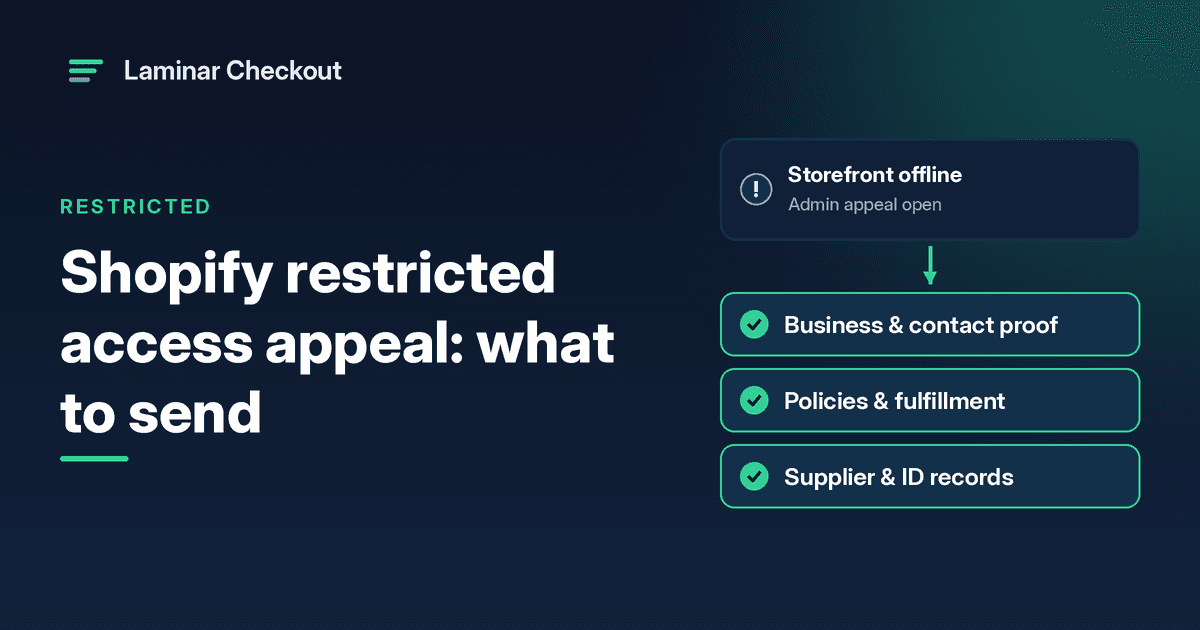
You log in and your Shopify admin shows a prompt to submit an appeal. Your storefront is offline, customers can't buy, and there may have been no warning. That is restricted access. It is different from losing Shopify Payments, and the appeal works a little differently because a reviewer can't simply browse your live store.
This post explains what restricted access means, what you can still do, and how to put together an appeal that shows what your store looks like and how it operates. Laminar Checkout is independent of Shopify, and this is general information, not legal advice. Nothing here can promise that an appeal succeeds.
What does restricted access mean on Shopify?
Shopify's Help Center page on handling your Shopify store termination says a store can be placed in restricted access when Shopify detects activity that might not be a legitimate commerce practice. It ties this to the Shopify Terms of Service, the Acceptable Use Policy, and, for some merchants, the Supplementary Terms for E.U. and U.K. Merchants. It also says stores may be placed in restricted access without prior communication.
The same page says that while your store is restricted, your storefront is unavailable to customers, but you keep limited access to your admin.
Is restricted access the same as a Shopify Payments termination?
No. Restricted access affects your whole store. A Shopify Payments deactivation affects card processing through Shopify Payments, while the store itself may stay online.
The two can overlap. Shopify's page says that if an appeal succeeds, you regain full access to your admin, but in some cases your store is restored while Shopify Payments stays unavailable. If that happens and you believe it is a mistake, Shopify says you can submit a separate appeal for Shopify Payments access. Our guide on how to appeal a Shopify Payments termination covers that second appeal.
What can I still do while my store is restricted?
According to Shopify's termination page, you can still:
- View store details, billing, and payment and payout information.
- Submit your appeal and supporting documents.
- Request a bank account change.
- Track the status of your appeal.
Shopify also says billing is paused while your store is in restricted access, so you are not charged during that period.
Use this window to collect records before you write anything. Export what you can see about orders, payouts and billing, and save copies for your own files.
How do I submit a restricted access appeal?
Shopify's steps are short. Log in to your Shopify admin, follow the on-screen prompt to the appeal form, complete it with explanations and supporting documents that show your store complies with Shopify's policies, check the details, and click Submit for review.
There is one special case. Shopify says that if your store received several notices of alleged intellectual property infringement and was restricted for repeat infringement, you receive an email and an admin notification. If that is your situation, read that notice closely, because your appeal needs to deal with the specific listings and claims it describes.
What should my appeal show if customers can't see my store?
A reviewer reading your appeal may not be able to click around your storefront the way a customer would. Your documents have to show it for you. Think of the appeal as answering one question: is this a real business that sells what it says, to customers who know what they are buying?
Who runs the business and how can customers reach you?
Include your legal business name, the address you operate from, and the support email and phone number you publish. Add screenshots of your contact page and footer as they appeared before the restriction, if you have them. If any of these details differ from your account records, say why.
What were customers told about refunds and returns?
Attach your refund or return policy text, with the return window, condition rules, who pays return shipping, and how refunds are issued. If you handle defective or not-as-described items differently from change-of-mind returns, say so.
What did you promise about shipping times?
Show your shipping policy with processing time and delivery estimates. If a supplier ships for you, say who and how long it takes. A short sample of fulfilled orders with tracking supports what the policy says.
Were prices and fees clear before checkout?
If you charge shipping, taxes, duties, subscriptions or other fees, show where customers saw them before they paid. Screenshots of a product page and the checkout summary work well.
How do you handle customer data and consent?
Attach your privacy policy and explain how you collect marketing consent. This is a small part of most appeals, but a missing or copied policy is easy for a reviewer to notice.
What shows the business is legitimate?
This is often the core of the appeal. Shopify's page says the review examines your documents, identity verification and explanations. Useful items can include supplier invoices for the products you sell, proof you have the right to sell branded goods, fulfillment records, and a calm explanation of anything unusual, such as a sudden sales spike or a new product line.
For the account-level documents Shopify often asks for, see what to send when a Shopify Payments account is under review. If the restriction might be about what you sell, check the Shopify Payments prohibited businesses self-check before you claim the decision was a mistake.
What should I avoid in a restricted access appeal?
- Guessing the reason. Respond to what the notice says. If it names nothing, explain your business plainly and back it with records.
- Promises you can't show. "We always ship in two days" means little without records. Send the evidence instead.
- Pages you changed after the restriction without saying so. If you fixed a policy, say what changed and when. A reviewer comparing versions will trust you more if you are upfront.
- Anger or threats. They don't add evidence.
What happens after I submit the appeal?
Shopify's page says the review covers your documents, identity verification and explanations, that a decision is made from that full evaluation, and that the outcome is sent to the store owner's email address. Check that inbox, including spam, and track the status from your admin.
Shopify does not publish a fixed timeline on that page, so avoid sending the same appeal again and again. If you have new evidence, add it through the appeal process.
For the wider picture on reviews, holds and suspensions, see our guide to Shopify Payments account review. If you want help preparing an appeal, our Suspension Reversal service works on these cases. We cannot promise an outcome. Shopify makes its own decision.
FAQ
Can customers place orders while my store is in restricted access?
No. Shopify says your storefront is unavailable to customers while the store is restricted.
Will I keep paying for my Shopify plan during restricted access?
Shopify says billing is paused and you won't be charged during this period.
Can I change my bank account while my store is restricted?
Yes. Shopify lists requesting a bank account change as one of the tasks you can still do.
If my appeal succeeds, is Shopify Payments restored too?
Not always. Shopify says the store can be restored while Shopify Payments stays unavailable. You can then submit a separate appeal for Shopify Payments access.
Will fixing my store policies get my store restored?
Not on its own. Clear, accurate pages remove one source of doubt. Shopify still decides based on everything in the appeal.
Check your pages before you send the appeal
Run a free scan to see which public-page gaps a reviewer might notice. Laminar Checkout checks six areas: contact details, refund and return policy, shipping timelines, pricing and fees, privacy and consent, and legitimacy signals. You get an Est. Shopify Hold & Suspension Likelihood (5%–95%, higher = more risk) with a fix for each check, usually in under a minute, with no app install or admin access. If your storefront is offline, the scan may not be able to read it, so keep copies of your policy pages to attach to the appeal. A low risk estimate does not decide an appeal.