Chargebacks
How to respond to a Shopify chargeback: evidence checklist
November 26, 20267 min readLaminar Checkout Team
Part of our guide: Shopify Payments reserve: causes, terms and what you can do · Start with the pillar: How clear checkout policies can reduce avoidable disputes
A chargeback email lands, the disputed amount and a fee have already left your balance, and there is a deadline on the screen. You can respond, but the bank reviewing it may spend only a few minutes on your case. What you send, and the order you send it in, matters.
This is a plain-English checklist built from Shopify's Help Center page on responding to chargebacks and inquiries. It covers what happens, what Shopify adds for you, what only you can add, and which public store pages make your evidence stronger. Laminar Checkout is independent of Shopify, and this is general information, not legal advice. No evidence guarantees a win.
What happens when a customer files a chargeback on Shopify?
Shopify's page lays out the steps. The customer disputes the charge with their bank. For a chargeback, the disputed amount and a chargeback fee are withdrawn from your account. Shopify notifies you with a response deadline. You usually have 7 to 21 days to build your response. The card company then reviews it, which Shopify says can take up to 75 days after you submit.
If you win, the amount and the fee are returned. If you lose, you keep neither. Shopify's page also says there's no appeal after the bank or card company rules, and that Shopify doesn't decide outcomes.
Is it a chargeback or an inquiry?
Shopify says a bank can open either one. With an inquiry, no money is taken while it is investigated. If it closes in the customer's favor, it might escalate to a full chargeback. Treat an inquiry like a chargeback anyway. Shopify says you collect and submit evidence the same way.
One more case: if your store is enrolled in a network dispute resolution program, Shopify says some disputes are refunded to the customer automatically, with no evidence window. Our post on Shopify NDRP and your chargeback rate explains how those count.
Should I respond to every Shopify chargeback?
Not always. If you owe the customer a refund, Shopify notes you can issue it from your admin. It says you might still lose that chargeback, but the refund shows good service and can prevent future disputes.
Also check the deadline. Shopify says your response is submitted on the due date even if you add nothing, and that some chargebacks are accepted automatically when the details suggest a very low chance of winning and you don't respond in time.
Keep in mind that winning doesn't remove a dispute from your chargeback rate. Shopify says the rate counts disputes filed, not outcomes.
What does Shopify add to my response automatically?
If you use Shopify Payments, Shopify says order information from your admin is added for you when it is available. That includes product details, customer name and email, billing and shipping addresses, IP address, fulfillment and tracking details (sometimes with a carrier delivery photo), refund records, the customer's earlier undisputed orders, card verification results, and 3D Secure details for fraud disputes when they help your case.
Shopify also says it may include the relevant store policy: your shipping policy for product not received, your return policy for credit not processed and product unacceptable, and your subscription policy for subscription canceled disputes. That is a direct reason to keep those policy pages accurate.
For Shopify Payments card disputes, Shopify writes a defense using AI and adds it by default. You can deselect it in the submission form.
On November 25, 2026, Shopify expanded automatic evidence for unauthorized and Agentic-channel disputes and added an Order dispute updates staff notification. See Shopify chargeback updates: get ready for Black Friday for what changed and what to do this week.
What evidence should I add myself?
Shopify's automatic evidence only comes from your admin. Add what only you have:
- Emails, chat logs and support tickets with the customer.
- The policy that applies, such as returns, shipping, subscription or terms of service, and where the customer agreed to it.
- A delivery photo or signature, if it isn't already in the tracking PDF.
- Access or usage logs for digital products and services.
- Your product listing as it looked at the time of purchase.
What should I send for each dispute type?
Shopify's page groups evidence by type. A short version:
- Product not received: carrier, tracking number, delivery status, and proof the address matched checkout. Our post on item not received chargebacks covers the shipping policy side.
- Product unacceptable: the listing at the time of purchase, what you shipped and when, photos before shipping, messages offering a fix, and your return terms.
- Credit not processed: the refund record or proof no refund was due, your refund policy, and return tracking. Our post on the Shopify credit not processed chargeback covers refund timing and policy wording.
- Fraudulent: AVS and CVV results, device and IP data, 3D Secure records, order history and delivery confirmation. If the cardholder really did order, see friendly fraud chargebacks and store records.
- Subscription canceled: the terms the customer accepted, your cancellation policy, cancellation records, usage, and renewal reminders.
- Duplicate and general: transaction logs, itemized receipts, the checkout total shown before payment, and your pricing terms.
Did the customer contact me first?
Shopify says card networks expect customers to try to resolve things with the merchant first. If they went straight to their bank, include evidence that no request came in, your accessible contact details and resolution process, and a note that you would have helped.
How should I order and label the evidence?
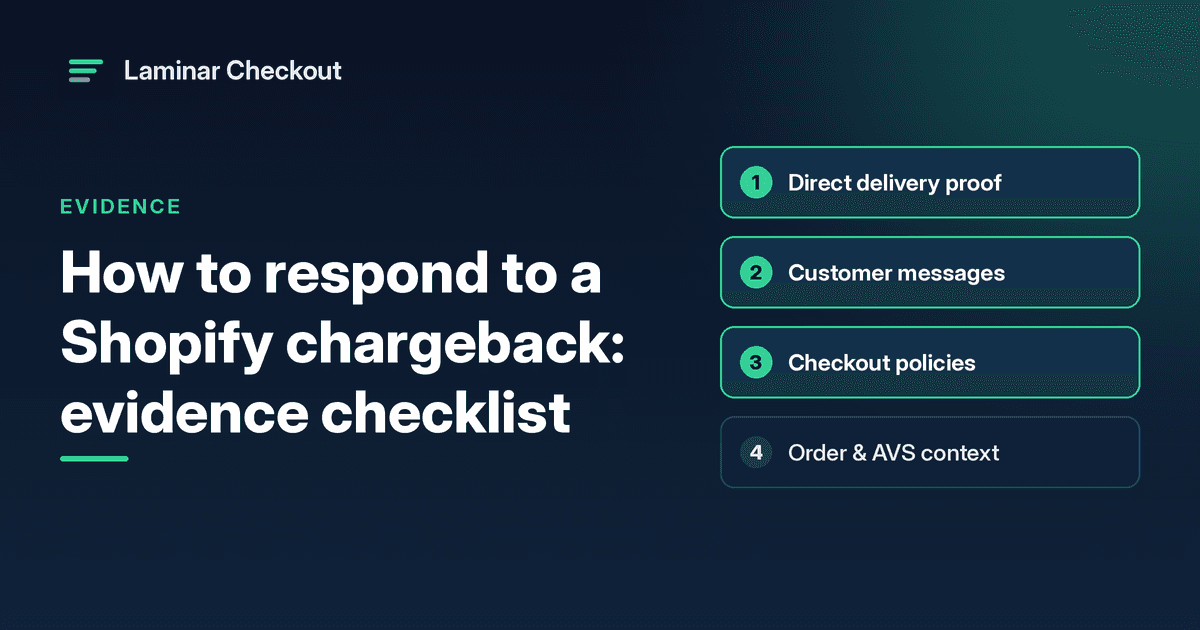
Shopify recommends putting the strongest proof first:
- Direct proof, such as signed delivery, tracking, a refund record or usage logs.
- Customer acknowledgment, such as messages confirming receipt.
- Policy documentation the customer agreed to at checkout.
- Supporting context, such as order history and verification results.
Use screenshots rather than links, so the bank doesn't have to open another site. Label each item plainly, with what it is and its date.
Which store pages make my chargeback evidence stronger?
Much of your response points back to public pages written before the dispute. A weak page there weakens the case.
- Contact details: a visible email and phone number support the "customer didn't contact me" argument.
- Refund and return policy: clear windows and conditions give the bank something specific to compare against.
- Shipping timelines: processing and delivery estimates make a late-but-delivered order easier to explain.
- Pricing and fees: shipping, taxes and recurring charges shown before payment help with general disputes.
- Privacy and consent: clear marketing consent can head off "I never signed up" complaints.
- Legitimacy signals: a recognizable business name and consistent details help a cardholder recognize the charge.
For the prevention side, see our pillar on how clear checkout policies reduce avoidable disputes.
FAQ
How long do I have to respond to a Shopify chargeback?
Shopify says usually 7 to 21 days. Your exact deadline is shown on the chargeback in your admin.
Does Shopify decide who wins?
No. Shopify says the customer's bank and card company decide, based on the evidence.
Do I get the chargeback fee back if I win?
Yes. Shopify says the disputed amount and the fee are returned if you win.
Can I appeal a lost chargeback?
Shopify says no. Once the bank or card company rules, the decision is final.
See the pages a bank will read
Run a free scan to check the public pages your evidence depends on. Laminar Checkout checks contact details, refund and return policy, shipping timelines, pricing and fees, privacy and consent, and legitimacy signals, and gives you an Est. Shopify Hold & Suspension Likelihood (5%–95%, higher = more risk) with a fix for each check. It takes about a minute and needs no app install. For a closer look, see our Compliance Audit. Clear pages can reduce avoidable disputes. They don't stop every chargeback or decide the outcome.