Chargebacks
Shopify chargeback updates: get ready for Black Friday
November 26, 20266 min readLaminar Checkout Team
Part of our guide: Shopify Payments reserve: causes, terms and what you can do · Start with the pillar: How clear checkout policies can reduce avoidable disputes
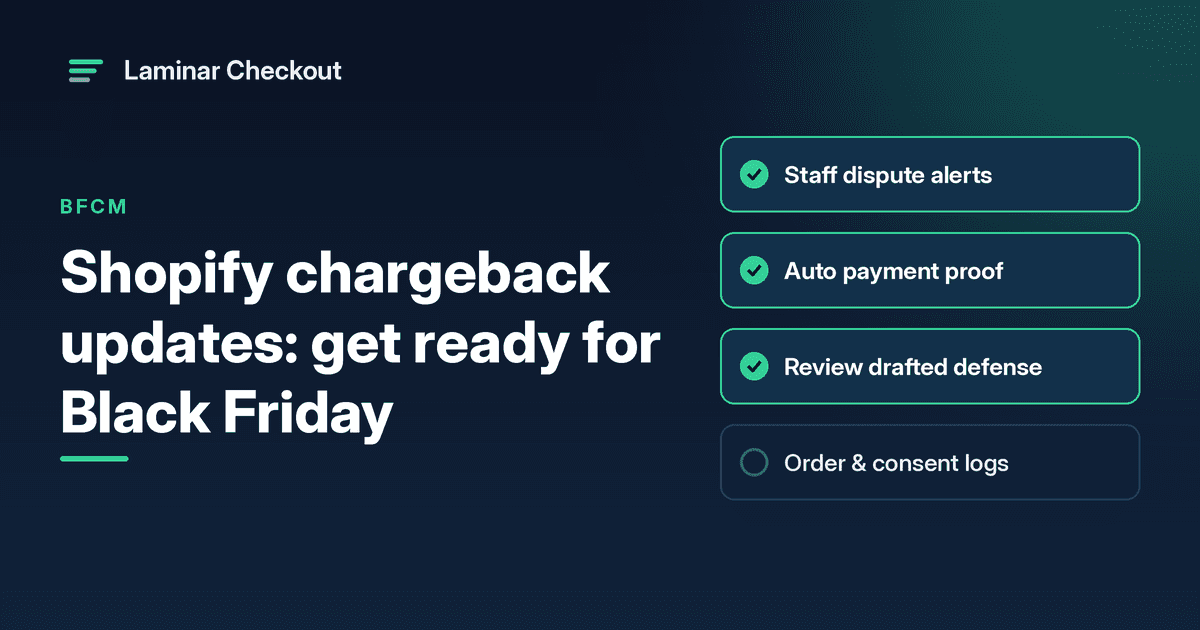
Black Friday week is when many stores see their highest order volume. Dispute volume often follows, and the deadline in your admin does not get longer because you are busy.
On November 25, 2026, Shopify published four chargeback changes in its changelog. Separately, Corepay reported that Mastercard revised its Chargeback Standards effective November 24, 2026. We have not confirmed that report against Mastercard's own documents. Laminar Checkout is independent of Shopify. This is general information, not legal advice.
What did Shopify change for chargebacks on November 25?
These are the four updates, from the changelog entries we opened:
- A defense written using AI for every chargeback reason. Before, this was available only for product not received disputes.
- Automatic payment-verification proof on unauthorized chargebacks.
- Shopify-provided checkout information on fraud chargebacks for Agentic-channel orders.
- A new Order dispute updates setting in staff notifications, so staff who manage disputes can get chargeback and inquiry updates.
Our view is that these changes can make it easier to notice a dispute and to attach payment proof. They do not respond for you, and they do not decide the outcome.
Who should get the new Order dispute updates notification?
This is the change to make first. A missed notice can cost you the response window.
Shopify says notifications can now reach the staff who handle disputes, not only the store owner. Staff with permission to manage disputes can get email, push, and in-admin updates when a chargeback or inquiry is opened, escalated, won, or lost. Set this under Settings > Notifications > Staff notifications, using Order dispute updates. You can turn it on or off for each recipient, or for the whole store.
Shopify says the notification is on by default for new stores, and on for the store owner on existing stores. Staff you add also receive it by default, but only if they have permission to manage disputes and the notification is on for them. Before Black Friday, add the people who actually build responses, including weekend cover, and confirm they have that permission.
What does Shopify now attach automatically, and what do I still need to add?
For unauthorized disputes, Shopify says Shopify Payments now adds card security code (CVV) and address verification (AVS) results, the authorization code, 3D Secure details when the customer completed 3D Secure and the result supports your case, and chip (EMV) data plus a payment receipt for in-person payments. For Visa, it also adds earlier undisputed orders that meet Visa Compelling Evidence 3.0 requirements, labeled so the bank can identify them. You can still add your own evidence before you submit.
For orders placed by an AI shopping assistant, Shopify notes that the order can look like any other order in your admin. If the customer later says they didn't authorize the payment, your own records may not show what they set up. Shopify now adds a Payment authorization record with the spending limit the customer set for the assistant, the payment approval recorded at checkout, and the assistant's name when it is known. If agentic checkout may already be on, see Shopify agentic checkout on by default.
Shopify still cannot attach evidence that lives outside the payment record, such as customer emails and chat, a delivery photo that isn't already in tracking, or proof the customer agreed to your policy at checkout. Our checklist for how to respond to a Shopify chargeback covers what to add by dispute type.
Should I submit the defense Shopify writes for me?
Review it first. Shopify says your response now includes a defense "written for you by Shopify using AI, whatever the reason for the dispute." It combines the evidence you submit with the evidence included automatically, and it addresses what the card network and the issuing bank require for that reason code. It is included by default. To leave it out, deselect Include Shopify-generated insights to strengthen case (recommended) in the evidence submission form.
Our view is that a drafted defense is a starting point, not a finished response. Read it against the evidence you actually have. If something is missing, thin, or wrong, add the record or deselect the draft. A drafted defense does not promise a win.
What should I keep ready if Mastercard updated its chargeback rules?
Treat this section as Corepay's reporting, not as a confirmation from Mastercard.
Corepay wrote that, effective November 24, 2026, Mastercard revised its Chargeback Standards, with clarifications on authorization, fraud disputes, recurring payments, dispute resolution, and compelling evidence. Corepay also reported that "Mastercard has clarified that fraud chargeback rights do not apply when the cardholder authorized the transaction." The same report says other dispute reasons may still apply even when a fraud claim does not, and that an authorization approval code alone does not necessarily establish cardholder participation.
Keep records that show the customer took part: checkout approval, card-verification or 3D Secure results, delivery or fulfillment proof, subscription consent, and later messages. Our view is that this is a reason to have those files ready before volume jumps, not a reason to assume a fraud dispute will fail on its own. If a run of disputes puts pressure on your account, a reserve can follow. Our Shopify Payments reserve guide covers what that means and what to check first.
What should I do on my store before Black Friday?
- Open Settings > Notifications > Staff notifications and set Order dispute updates for the people who handle disputes, including weekend cover. Confirm they have permission to manage disputes.
- When a dispute arrives, review the defense Shopify drafted before you submit it. Add what only you have, or deselect the draft if it does not help.
- Know what Shopify Payments now attaches, so you don't re-upload proof it already included.
- Keep authorization, delivery, subscription-consent, and customer-message records easy to find, given what Corepay reported about Mastercard's November 24 update.
- Check the public refund, shipping, subscription, and contact pages a bank may compare with your evidence.
FAQ
Do these Shopify updates apply to every chargeback?
No. Automatic payment-verification proof is for unauthorized chargebacks. The extra checkout record is for Agentic-channel fraud chargebacks. The written defense is for card payment disputes and inquiries. The staff notification applies when the recipient has permission and the setting is on.
Can I leave the Shopify-written defense selected without reading it?
Shopify includes it by default. Our view is that you should still read it, and deselect it if it does not match the case you are sending.
Did Mastercard change its fraud chargeback rules on November 24?
Corepay reported that the revised standards took effect on November 24, 2026, and that fraud chargeback rights do not apply when the cardholder authorized the transaction. We have not confirmed that against Mastercard's own documents.
Will these updates stop Black Friday chargebacks?
No. They change how you are notified and what Shopify can attach. They do not prevent disputes, and they do not decide who wins.
See the pages a bank may read
Run a free scan to check the public pages your evidence often depends on. Laminar Checkout checks contact details, refund and return policy, shipping timelines, pricing and fees, privacy and consent, and legitimacy signals, and gives you an Est. Shopify Hold & Suspension Likelihood (5%–95%, higher = more risk) with a fix for each check. It takes about a minute and needs no app, login, or admin access. For a closer look, see our Compliance Audit. Clear pages can reduce avoidable disputes. They don't stop every chargeback or decide the outcome.