Mastercard
Mastercard Excessive Chargeback Program for Shopify stores
November 27, 20267 min readLaminar Checkout Team
Part of our guide: Shopify Payments reserve: causes, terms and what you can do · Start with the pillar: Visa VAMP ratio: what it counts and what stores control
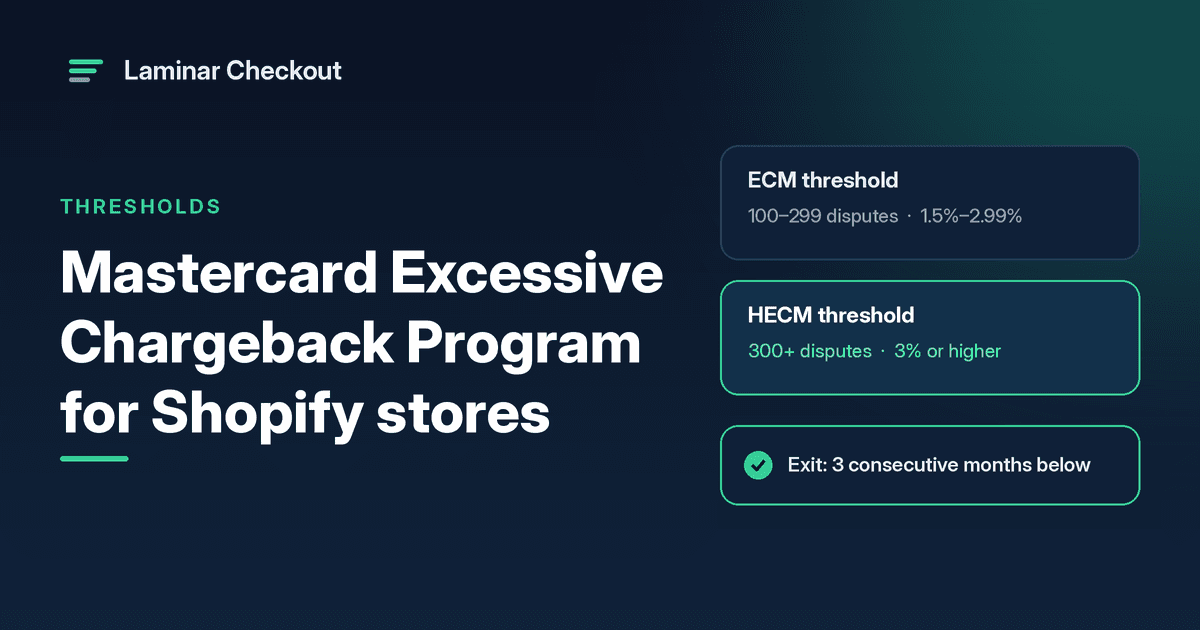
Visa's dispute program gets most of the attention, but Mastercard runs its own. The Mastercard Excessive Chargeback Program, or ECP, watches how many chargebacks a store receives on Mastercard cards each month. If both your count and your rate pass its thresholds, you can be placed in the program, and monthly fines can follow for as long as you stay in it.
This post explains how the program counts, the two levels Shopify lists, how a store exits, and which parts of the problem your public store pages can actually influence. It is general information, not legal advice. Laminar Checkout is independent and not affiliated with or endorsed by Shopify or Mastercard. Your payment provider's terms and Mastercard's own rules are what apply to your account.
What is the Mastercard Excessive Chargeback Program?
Shopify's Help Center page on fraud and dispute monitoring programs says every merchant has to keep disputes and fraud at levels the card networks accept. If they go past network thresholds, you might be placed in a monitoring program and incur monthly fines or additional fees.
For Mastercard, the ECP has two levels:
- Excessive Chargeback Merchant (ECM).
- High Excessive Chargeback Merchant (HECM).
Mastercard also runs a separate fraud program, the Excessive Fraud Merchant (EFM) compliance program, which uses fraud chargebacks only. This post sticks to the ECP.
What chargeback count and rate put my store in the program?
Shopify says a business is placed in the ECP if it meets or exceeds the thresholds on both conditions: a dispute count and a dispute rate. The levels Shopify lists are:
| Level | Dispute count in the month | Dispute rate |
|---|---|---|
| ECM | 100 to 299 | 1.5% to 2.99% |
| HECM | 300 or more | 3% |
Because both conditions have to be met, a small store with a high rate but only a handful of disputes does not reach the count. That does not make a high rate safe. Your provider watches your rate on its own terms, and a high rate can lead to reserves or other account actions long before any network program applies.
How does Mastercard work out my rate each month?
This part catches people out. Shopify explains that Mastercard uses two different months. Your rate for the current month is your chargeback count for the current month divided by your total captured payments from the preceding month. A chargeback belongs to the month in which it is raised, not the month of the sale.
Shopify's example: February's ECP calculation uses payments captured in January and chargebacks raised in February. You are usually notified in the month after the activity that put you in a program.
So a quiet month after a busy one can push your rate up even if nothing changed in how you sell. Planning a big promotion? Expect its disputes to arrive later, when they may be measured against a different month's sales.
What happens if my store is placed in the program?
Shopify's page lists penalties that grow the longer you stay in. At the ECM level, it shows no fine in the first month, then fines that step up from month two, with an issuer recovery assessment added from month four. HECM fines are higher at each step. Read the full table on Shopify's page for current amounts, since networks change these programs.
Shopify also cautions that if the level isn't reduced, you might receive fines or lose the ability to process credit card payments.
Can I ask for a fine to be paused?
Shopify says you can ask Mastercard to suspend an assessed fine one time during an open case. It advises doing so only if you're confident you'll stay below the exit threshold for the next 3 months. If you fall back above it, fines continue until you exit.
How do I get out of the Mastercard program?
Shopify says Mastercard removes you when your chargebacks drop below the program threshold for 3 consecutive months. If you're at HECM and drop below the HECM threshold but still meet the ECM threshold, you move down to ECM.
That makes the program a slow exit. Three clean months is a quarter of steady work, and it starts with knowing why disputes happen.
Is this the same as being added to MATCH?
No. MATCH is Mastercard's list of merchant accounts that processors have closed. Shopify's page says the excessive chargebacks reason code applies when Mastercard chargebacks in a single month exceed 1% of Mastercard sales transactions that month and total $5,000 USD or more. It also says a listing often leads to new processor applications being declined. That is separate from the ECP, and the bar is different, so watch both.
Where can I see my chargeback rate in Shopify?
If you use Shopify Payments, Shopify's page on monitoring chargebacks says you can go to Settings > Payments in your admin and review Chargeback monitoring. Two points from that page matter here:
- Your rate counts all disputes customers open, not just the ones you lose. Winning a chargeback doesn't remove it from your rate.
- Payments through a third-party provider are not included, because those disputes follow that provider's process.
Shopify's own figure is not the same calculation as Mastercard's ECP, so treat it as a signal, not a prediction of program status.
Which store pages affect the disputes Mastercard counts?
Shopify suggests grouping recent chargebacks by reason. Common patterns it lists include customers not recognizing your business name, products not received, products damaged or not as described, and subscription disputes. Several of those start on your public pages.
Can customers find a way to contact me?
Show a business name, a monitored email and a way to reach you on every page. A customer who can reach you is more likely to ask you first than their bank.
Is my refund and return policy easy to follow?
State the window, how to start a return, who pays shipping and when refunds go out. Link it in the footer and near the buy button.
Do my shipping timelines match what I deliver?
Give processing and transit times as ranges you meet today. Show preorder dates on the product page.
Can customers see the full price before paying?
Show the full price, shipping and any fees before the last step. For recurring charges, show the amount, frequency and how to cancel.
Is marketing consent clear at checkout?
Keep marketing consent clear at checkout, so customers are not surprised by messages they did not expect.
Does my store look like the business on the statement?
Remove reviews, badges or claims you cannot back up. A store name that matches your billing statement text helps customers recognize the charge.
Clear pages can reduce avoidable disputes. They do not stop fraud chargebacks from stolen cards, and they do not decide whether you enter or leave a program.
Where can I read more?
Our pillar post on the Visa VAMP ratio covers Visa's program, which counts fraud reports and disputes together. For fraud disputes, see what the 3-D Secure liability shift does not cover, and for answering fraud claims with records, see Visa Compelling Evidence 3.0 on Shopify. Shopify's own dispute program is covered in our Shopify NDRP post. If you want a closer look at your pages, see our Compliance Audit.
FAQ
Does the Mastercard program apply if I use Shopify Payments?
Shopify's Help Center lists the ECP among the card network programs merchants need to stay within, along with its levels and penalties. Ask Shopify Support about your own account.
Do won chargebacks count toward the program?
Shopify says winning a chargeback doesn't remove it from your Shopify chargeback rate. Assume disputes count when they are raised, whatever the outcome.
Can a better refund policy get me out of the program?
Not on its own. Exit depends on your chargebacks staying below the threshold for 3 consecutive months. Clear policies are one input that can help.
What would a reviewer find on my pages?
Run a free scan to see your public pages the way a reviewer or customer might. Laminar Checkout checks contact, refund and return, shipping timelines, pricing and fees, privacy and consent, and legitimacy, and returns an Est. Shopify Hold & Suspension Likelihood (5%–95%, higher = more risk) with pass, warning and fail counts. It takes under a minute and needs no app, login or admin access. Results are informational. A low risk estimate does not keep you out of a card network program, but it shows which gaps to fix first.